
Billing & Usage
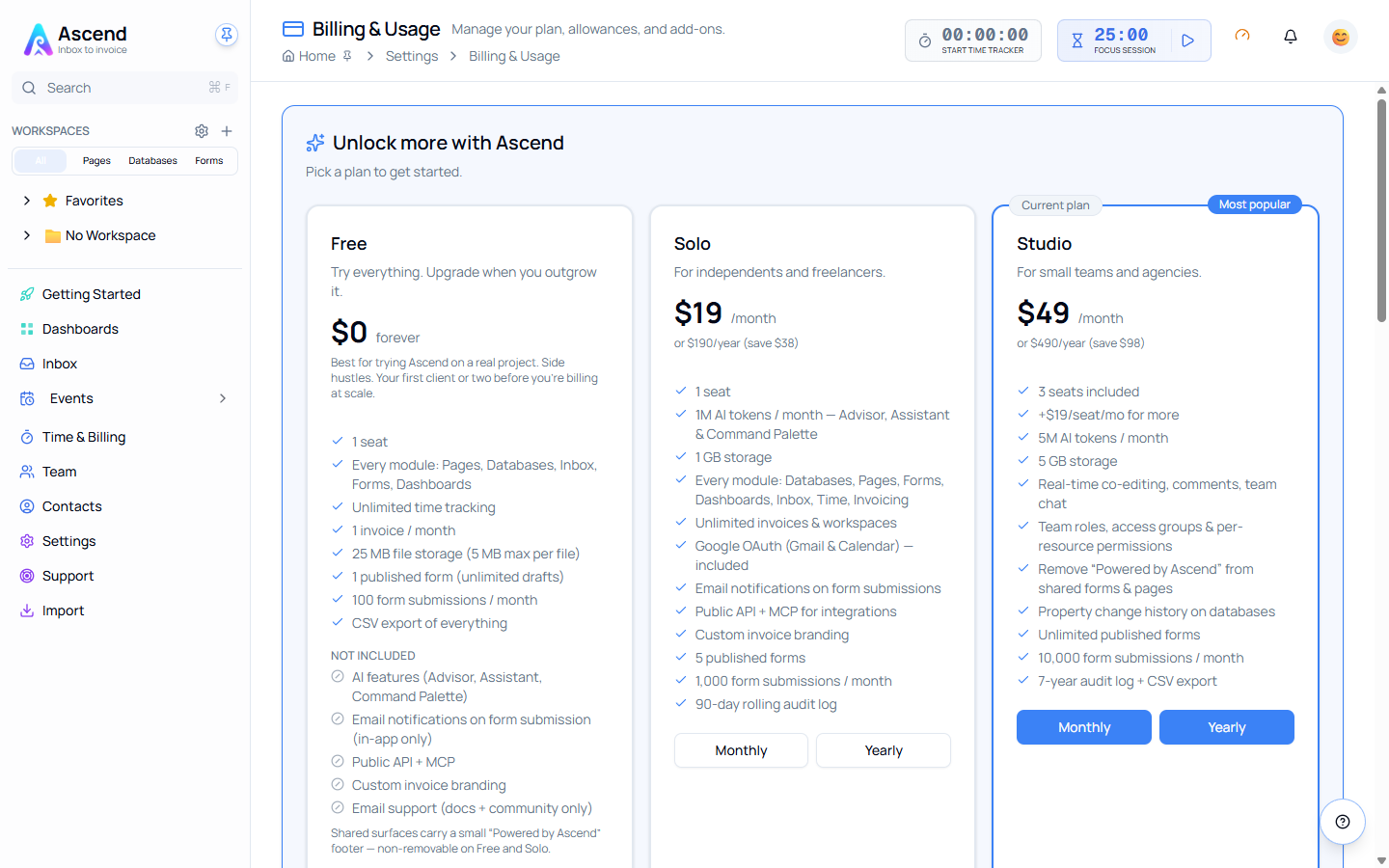
Billing is where the plan, the allowances and the add-ons live. It shows what your workspace is entitled to, how much of it you have used, and what to do when you run out.
1Billing & Usage
Start here
The basics, in the order most people need them.
2Billing & Usage
Going further
The rest of what this area can do.
Finding it
Settings → Billing, or the usage gauge in the top bar of any page. Billing is visible to team admins and owners; other members do not see it in Settings.
What is on the page
| Section | What it tells you |
|---|---|
| Plan | Which plan the workspace is on, and the buttons to change it |
| Subscription period | The current billing period and when it renews |
| Add-ons | Buy extra seats, storage or AI tokens without changing plan |
| Allowances | Seats, storage and form submissions used against what you are entitled to |
| AI Token Allowance | Tokens used, tokens remaining, and the date the allowance refills |
| Transactions | Subscription invoices, token purchases, usage and adjustments, with a PDF download |
Your own numbers beat any table in these guides
The plans below describe the current tiers, but your workspace's live entitlement is whatever the Billing page shows — including any add-ons you have bought and anything applied to your account directly.
Related