
Tracking time and invoicing
Track billable hours, manage client jobs, and generate professional invoices — all without leaving Ascend.
1Time & Billing
Start here
The basics, in the order most people need them.
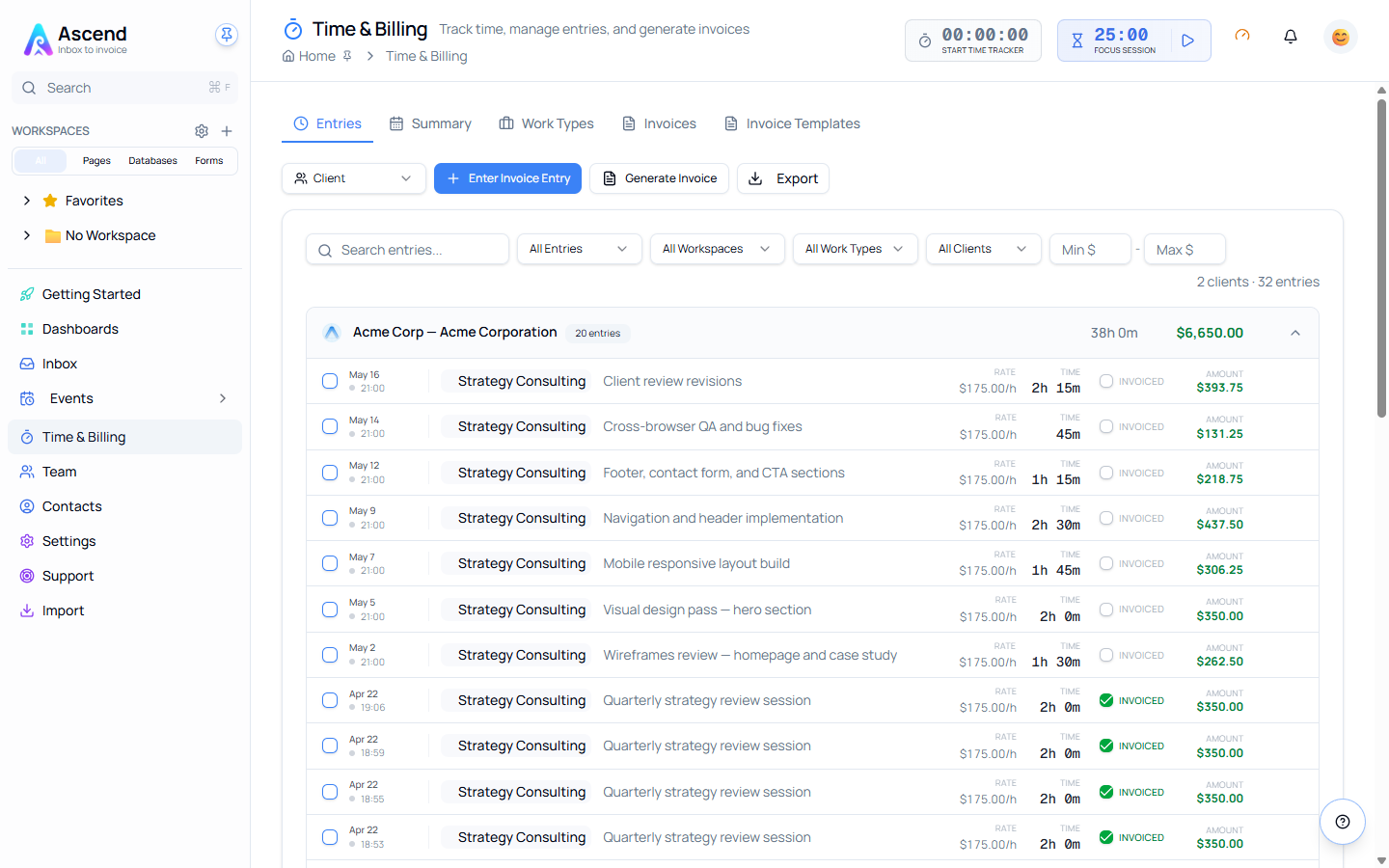
Managing JobsJobs represent the activities or projects you track time against — for example *Consulting*, *Development*, or…Using TimersThe Start Timer dialog guides you through a 3-step wizard:Focus TimerThe Focus Timer (often called a Tomato Timer) is a productivity tool built directly into Ascend.Time EntriesThe Entries tab shows all your time entries in a detailed list with the following information:InvoicingGenerate professional invoices from your tracked time using customisable Word templates.TemplatesInvoice templates are Word (.docx) files that define the layout and formatting of your invoices.
2Time & Billing
When something looks wrong
Known causes and how to fix them.
Quick Start
Your first time entry
- Open Time Tracking from the main navigation
- Click the Play button to open the timer wizard:
- Step 1 — Select your Work Type (Job)
- Step 2 — Optionally link to a page or database record
- Step 3 — Add a description and tags, then click Start Timer
- Work on your task — the timer counts automatically
- Click Stop when done, review, and save
Your time entry is now tracked and ready for reporting or invoicing.
Key Concepts
| Concept | Description |
|---|---|
| Jobs | Named activities or projects (e.g. Consulting, Development) with hourly rates, billing rules, and optional client linkage |
| Time Entries | Individual records of time spent — start/end time, duration, description, and calculated earnings. Can also be a flat fee (quantity × unit price) for one-off charges not tied to tracked time |
| Invoices | Professional documents generated from selected time entries, with customizable Word templates and PDF/DOCX output |
| Focus Timer | A Pomodoro-style productivity timer that integrates with your time entries |
Common Workflows
| Workflow | Setup |
|---|---|
| Consultant | Create a job per client, set hourly rates, use 15-min rounding, generate invoices monthly |
| Freelancer | Create jobs by work type, use emojis for quick visual ID, track all time including non-billable, invoice per project |
| Agency | Create jobs per client and project, filter by workspace for team reporting, use branded invoice templates |
Related Features
- Workspaces — Filter time entries by workspace
- Contacts — Manage client information for invoicing
- Dashboard — Time tracking widgets and summary views