
Calendar
The calendar shows every booking made on your team's booking links in one grid, with your own connected calendars available as a read-only overlay. It answers "what is actually in the diary" without opening five inboxes.
Start here
The basics, in the order most people need them.
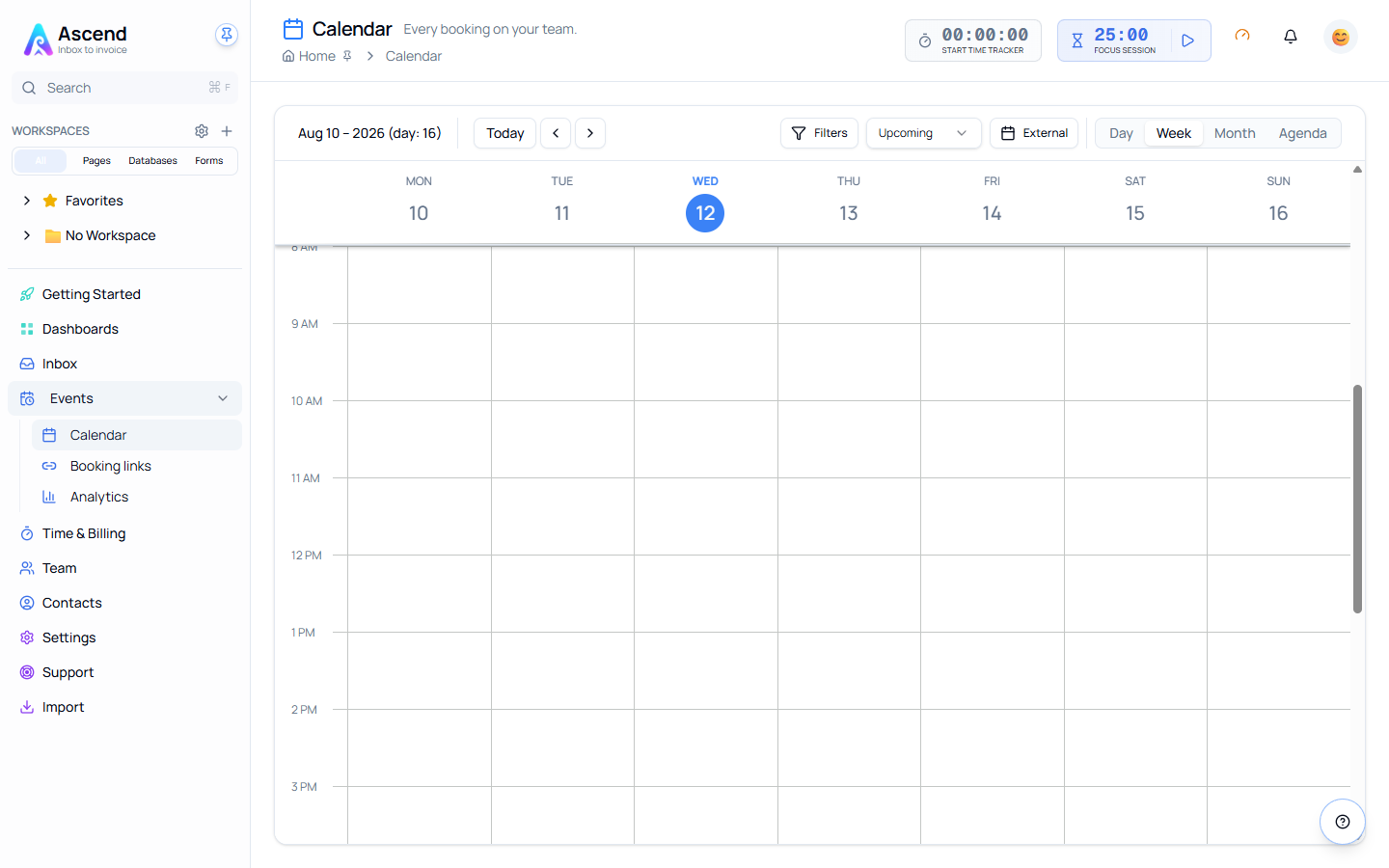
What the calendar shows
Bookings — the meetings people scheduled through your booking links. Every event on the grid is a booking, with its event type, host and status.
Optionally, external events from calendars you have connected under Settings → Integrations. Those are drawn as an overlay and are read-only: the calendar shows them so you can see your real availability, and does not change them.
You cannot create an event here
The calendar is a view, not an editor. Meetings arrive because someone booked a slot through a booking link, or because they exist on a connected external calendar. To open a new slot, create or change a booking event type.
Finding it
Events → Calendar in the sidebar. The same Events group holds Booking links and booking Analytics.
Timezone
The grid renders in one timezone, resolved in this order: your own timezone if you have set one, then the team's booking timezone, then the team timezone, then UTC.
That order is deliberate. Your laptop's timezone is not used, because the machine you happen to be sitting at often disagrees with the team you are booking for.
Related
- Booking — where the events on this calendar come from
- Managing bookings
- Calendar integrations