
Using document templates
Document templates turn a database row into a finished Word document. Upload a contract, invoice, or letter once, mark the parts that change with placeholders, then generate a filled-in copy from any row — in one click.
Start here
The basics, in the order most people need them.
Going further
The rest of what this area can do.
When something looks wrong
Known causes and how to fix them.
Inbox to invoice. Row to document.
A document template is the last mile of your data. The same database that powers a view, a form, or a Kanban board can now produce a polished .docx — no copy-paste, no mail-merge spreadsheet.
Available on every plan
Document Templates is included on every plan. Generation is metered per calendar month — 5 on Free, 100 on Solo, 500 on Studio, and unlimited on Enterprise. The templates you set up are unlimited.
Quick Start
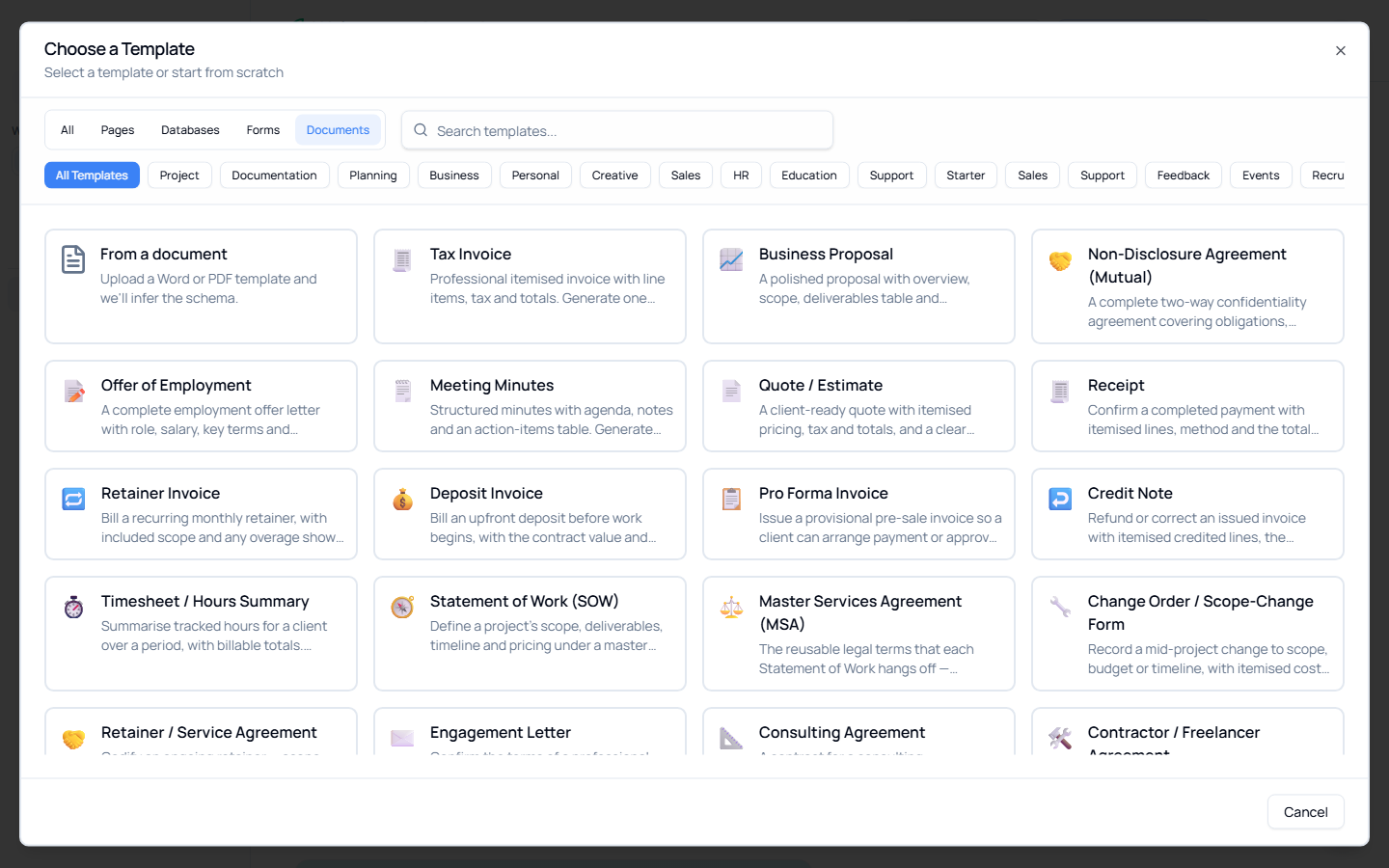
The fastest way to see it work is to start from a pre-built template — Ascend ships 50+ ready-made templates (invoices, quotes, proposals, agreements, project docs and more), each professionally laid out and pre-written. See Creating Templates for the full library.
To try it now:
- Click + New (or the + next to Databases in the sidebar).
- Choose From a document → pick a pre-built template — e.g. Tax Invoice.
- Ascend creates a database, an example row, an intake form, and the matching Word template, all wired together.
- Open the new database, switch to the Documents tab, click Generate, and pick the example row.
- Your filled-in
.docxdownloads. Open it — every placeholder is replaced with that row's values.
That's the whole loop: template + row → document.
Key Concepts
| Concept | What it is |
|---|---|
| Document template | A Word (.docx) or PDF document with placeholders for the parts that change. Lives on the Documents tab of one database. |
| Placeholder | A token like {{Client Name}} you put in the document wherever a value should be inserted. |
| Tagging | Linking each placeholder to a database field (property). Done automatically by AI, or by hand in Configure. |
| Generate | Fill a template with one row's values and download the result as a .docx. |
| Linked database | Every template belongs to exactly one database — the source of the field values it fills in. |
| Status | Where the template is in its lifecycle: uploaded → parsed → tagged → ready. |
Word vs. PDF
| Format | Upload | Generate documents |
|---|---|---|
Word (.docx) | ✅ | ✅ Full support — tag, configure, and generate. |
| ✅ (ingested for its text) | ❌ Not yet — PDF templates can't be filled in. Use Word to generate. |
Maximum file size is 50 MB.
Where Document Templates Live in the App
| Location | What you can do |
|---|---|
| Database → Documents tab | The home base. List, add, configure, generate, download, replace, and delete templates for this database. |
| + New → From a document | Start a brand-new database from a pre-built template, or by uploading your own document. |
| A record's ⋯ menu → Generate document | Generate straight from an open row, without leaving it. |
Related Features
- Databases — The source of the field values your templates fill in
- Working with Rows — Each row is one document you can generate
- Forms — Collect the data (as rows) that your templates turn into documents
- Property Types — Including subtables for line items (invoices, quotes)