
The command palette and search
Optivation has three keyboard entry points that look similar and do different things. Knowing which is which is most of the speed gain: one finds things, one does things, and one reminds you of the rest.
| Press | Opens | Use it to |
|---|---|---|
Cmd/Ctrl + F | Search | Find something that exists |
Cmd/Ctrl + K | Command palette | Do something, or jump somewhere |
Shift + K | Keyboard shortcuts | Look up a shortcut you have forgotten |
Shift + K — the shortcuts panel
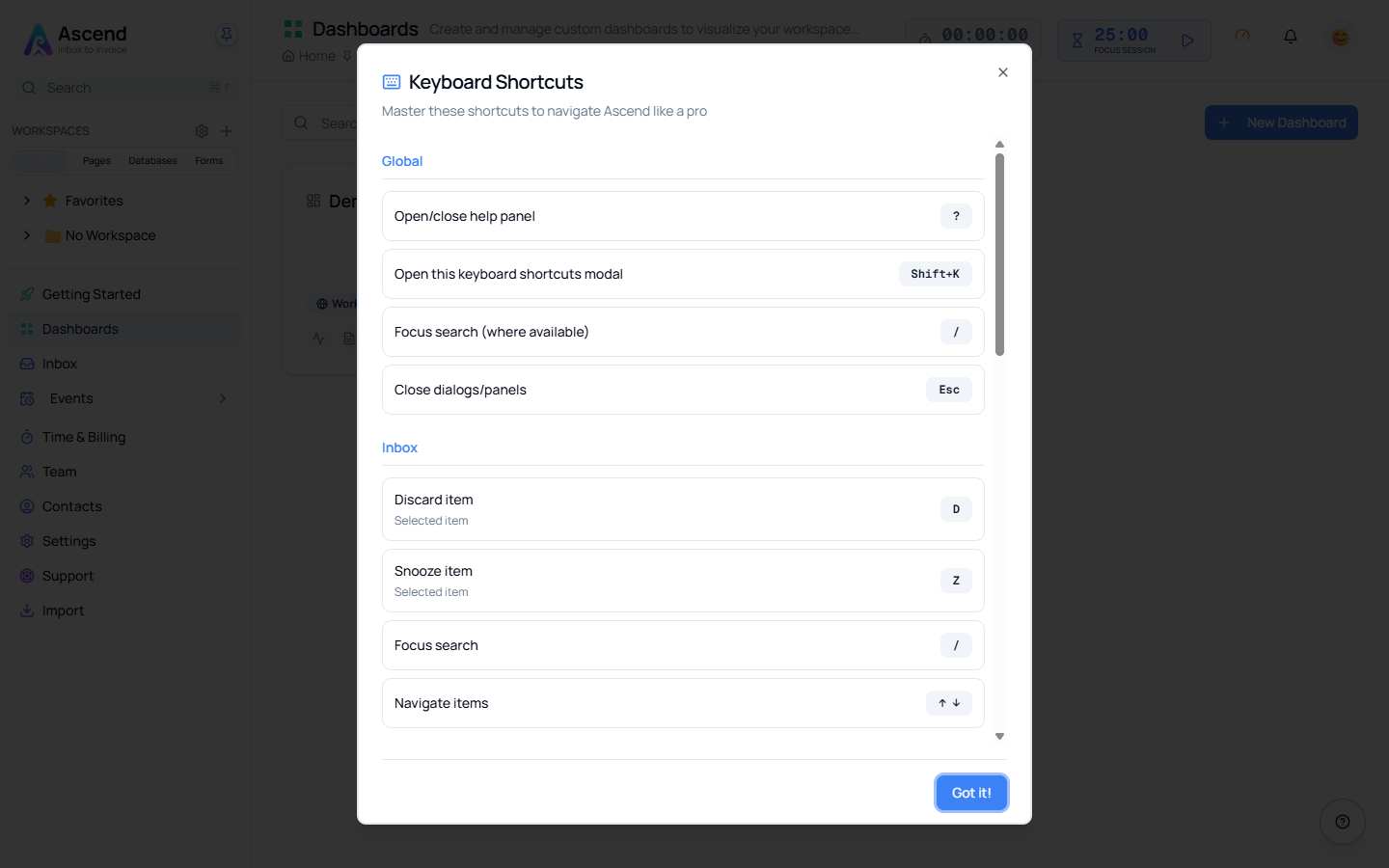
Shift + K opens a panel listing the shortcuts that apply where you are, grouped into Global, Inbox, Forms and General. It works on every page once you are signed in.
Close it with Esc or Got it!.
It will not open while you are typing
Single-key shortcuts are switched off while your cursor is in a text field — otherwise pressing K in the search box would open a panel instead of typing a K. If nothing happens, click on empty space or press Esc first, then press Shift + K.
Cmd/Ctrl + K — the command palette
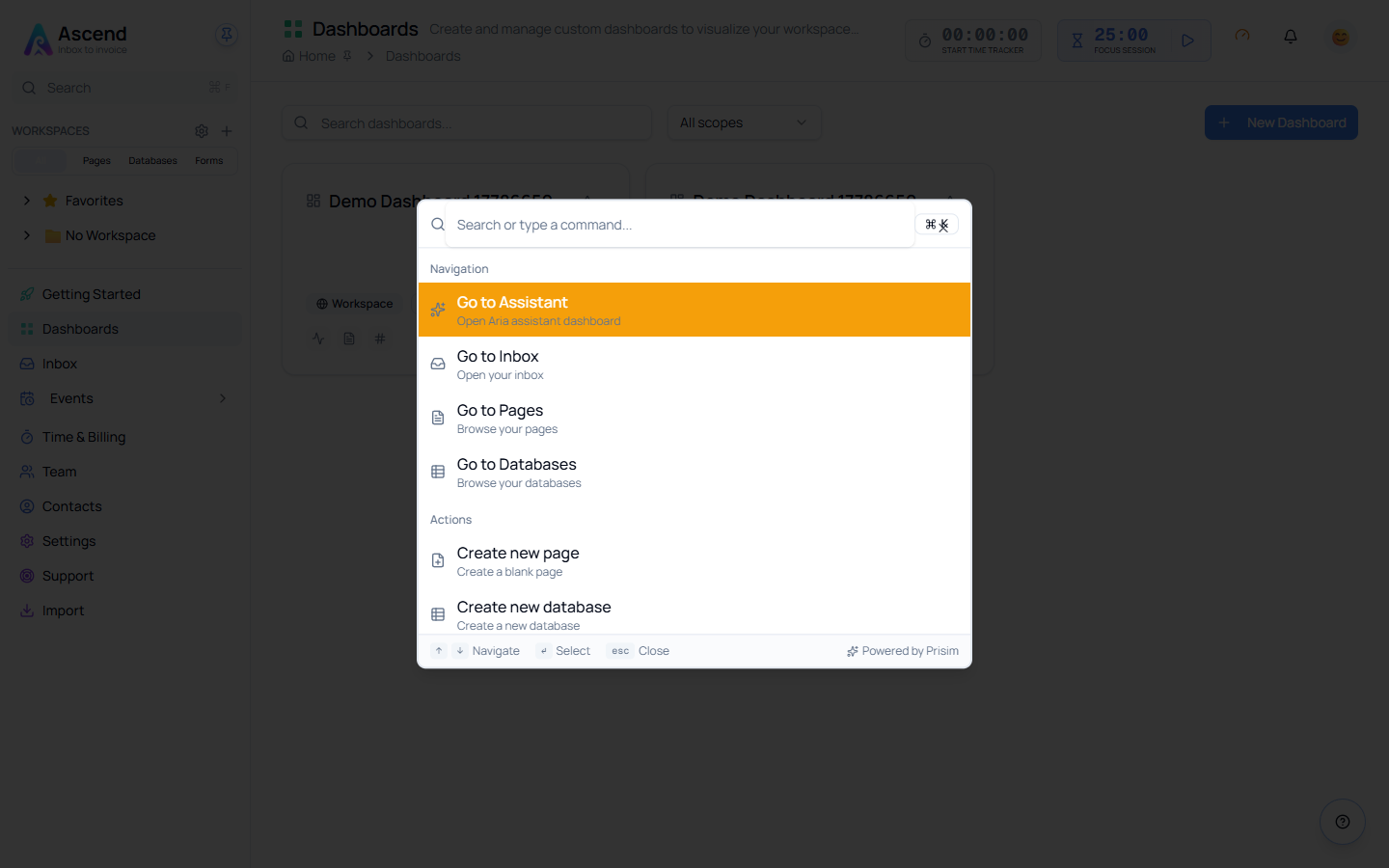
The palette is for doing rather than finding. Start typing and it filters two groups:
- Navigation — Go to Assistant, Inbox, Pages, Databases
- Actions — Create new page, Create new database, and more
Move with ↑ and ↓, run the highlighted entry with Enter, close with Esc. Those three keys are printed along the bottom of the palette.
Reach for it when you know what you want to do. "Create new page" is two keystrokes and a word, against a click into the sidebar and a hunt for the right button.
Cmd/Ctrl + F — search
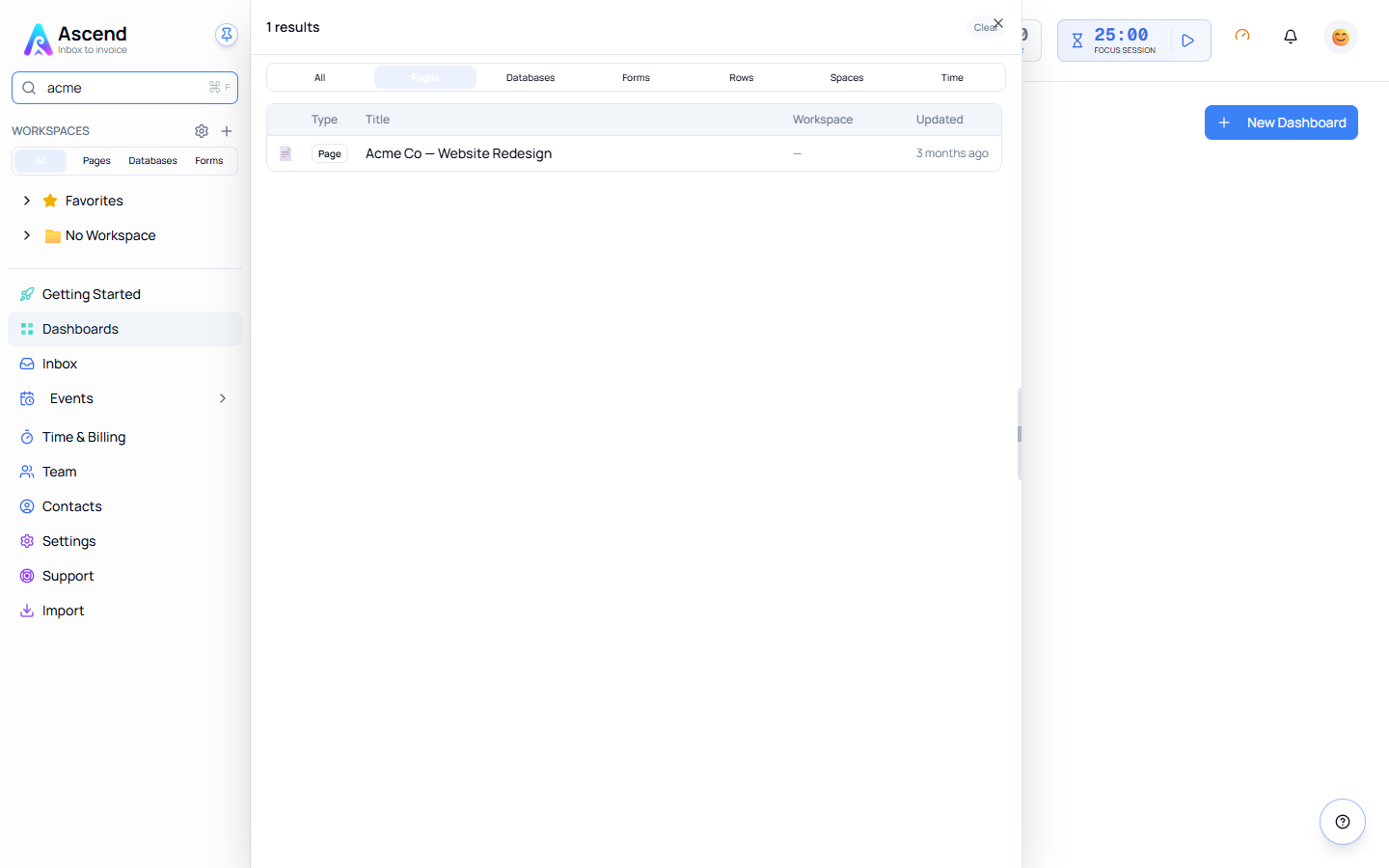
Search looks across the whole workspace rather than the page in front of you. Results are grouped by type, and the tabs along the top narrow them:
All · Pages · Databases · Forms · Rows · Spaces · Time
Type at least two characters. Results carry the workspace they belong to and when they were last updated, which is usually enough to pick the right one of several similarly-named records.
This replaces your browser's find-in-page
Optivation takes Cmd/Ctrl + F for its own search, so the browser's find bar does not appear. To search the text on the visible page, use Edit → Find on Mac, or the browser's ⋮ menu → Find on Windows.
See Unified search for filtering and sorting results.
The help panel
The floating ? button in the bottom-right corner of every page opens a help panel with guidance for wherever you currently are. It can be resized by dragging its left edge, and it remembers whether you left it open.
The ? shortcut does not currently work
The in-app shortcuts panel lists ? as the way to open the help panel. It does not — use the floating button instead. This is a known issue with the shortcut's registration, not something wrong with your keyboard.
Which to reach for
Three questions, in order:
- Do I know the thing exists and want to open it?
Cmd/Ctrl + F. - Do I want to make something or go somewhere?
Cmd/Ctrl + K. - Do I half-remember a shortcut?
Shift + K.
Related