
Getting help
Support lives inside Optivation rather than in an email queue. Support in the sidebar submits the request, tracks the replies, and keeps the history in one place.
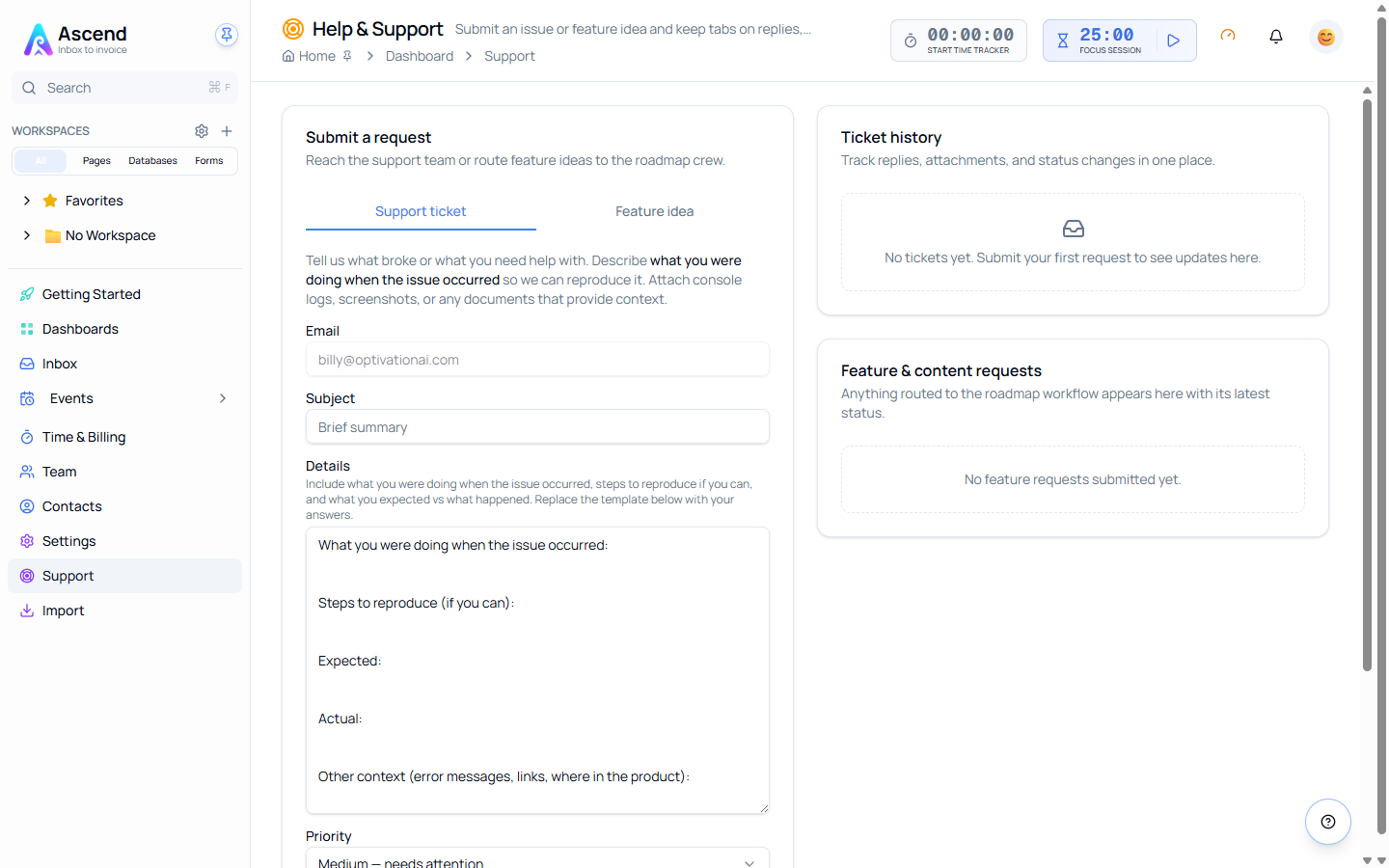
Two kinds of request
| Tab | Use it for |
|---|---|
| Support ticket | Something is broken, or you need help doing something |
| Feature idea | Something is missing — a feature, a content update, or a template request |
They go to different places. Support tickets reach the support team; feature ideas are routed to the roadmap.
Raising a support ticket
- Support → Support ticket
- Your email is pre-filled
- Write a Subject — a brief summary
- Fill in the Details, which arrives pre-structured
- Set a Priority
- Attach anything useful
- Submit
The details template
The Details box is pre-filled with the questions that get a ticket solved on the first reply:
- What you were doing when the issue occurred
- Steps to reproduce, if you can
- What you expected
- What actually happened
- Other context — error messages, links, where in the product
Replace the blank lines with your answers. It looks like more work than a one-line description and it is; it is also the difference between a fix and three rounds of clarifying questions.
Priority
| Priority | Means |
|---|---|
| High | Blocking my work |
| Medium | Needs attention |
| Low | FYI or suggestion |
Be honest with this. Marking everything High makes the field meaningless and does not make anything faster.
Attachments
Up to three files, as .png, .jpg, .pdf, .doc, .docx, .txt or .csv.
A screenshot of the actual error is worth several paragraphs describing it. Browser console output helps for anything that looks like a display bug.
Submitting a feature idea
Support → Feature idea, then pick what it is: a feature idea, a content update, or a template request. The Details box is pre-structured again:
- The problem or opportunity
- Your idea, or what you would like
- Who benefits and how
The third one carries the weight. "Who benefits and how" is what turns a preference into a case.
Tracking what you sent
Ticket history on the right shows replies, attachments and status changes for support tickets. Feature & content requests shows anything routed to the roadmap with its current status.
Both update in place — there is nothing to check in an inbox.
Before you raise a ticket
Search these guides first. The search box is at the top of every page, and the troubleshooting guide for each area covers the questions that come up most:
- Pages troubleshooting
- Databases troubleshooting
- Forms troubleshooting
- Booking troubleshooting
- Time tracking troubleshooting
Related