
Setting up a step
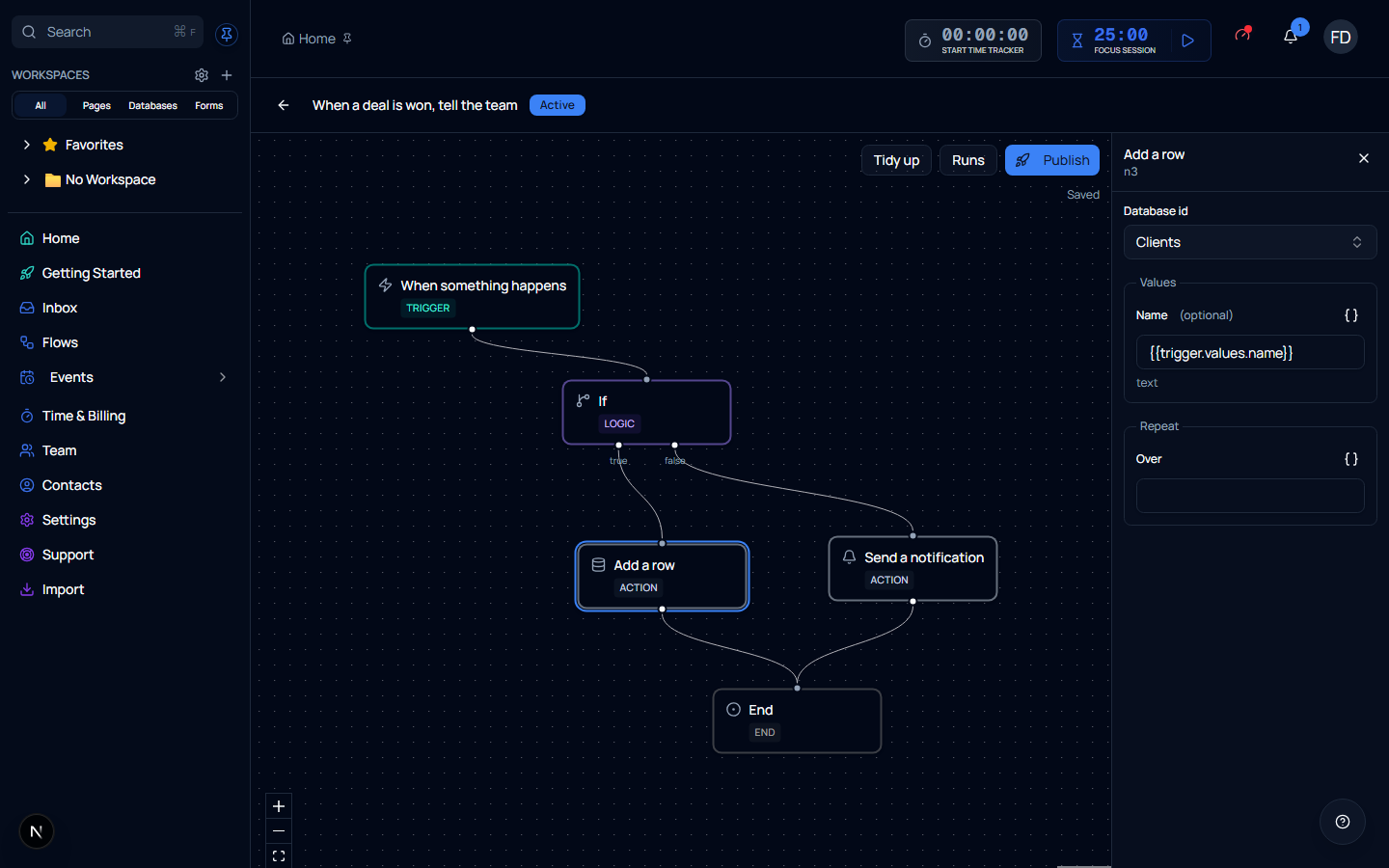
Click a step on the canvas and its settings open in the panel on the right. What the panel shows depends on the step — an Add a row step asks which database and what to put in it, a Send a notification step asks who and what to say.
Choosing a thing, not typing an id
Anywhere a step needs something from your workspace — a database, a form, a saved connection, a teammate — you pick it from a list you can search. You are never asked for a number.
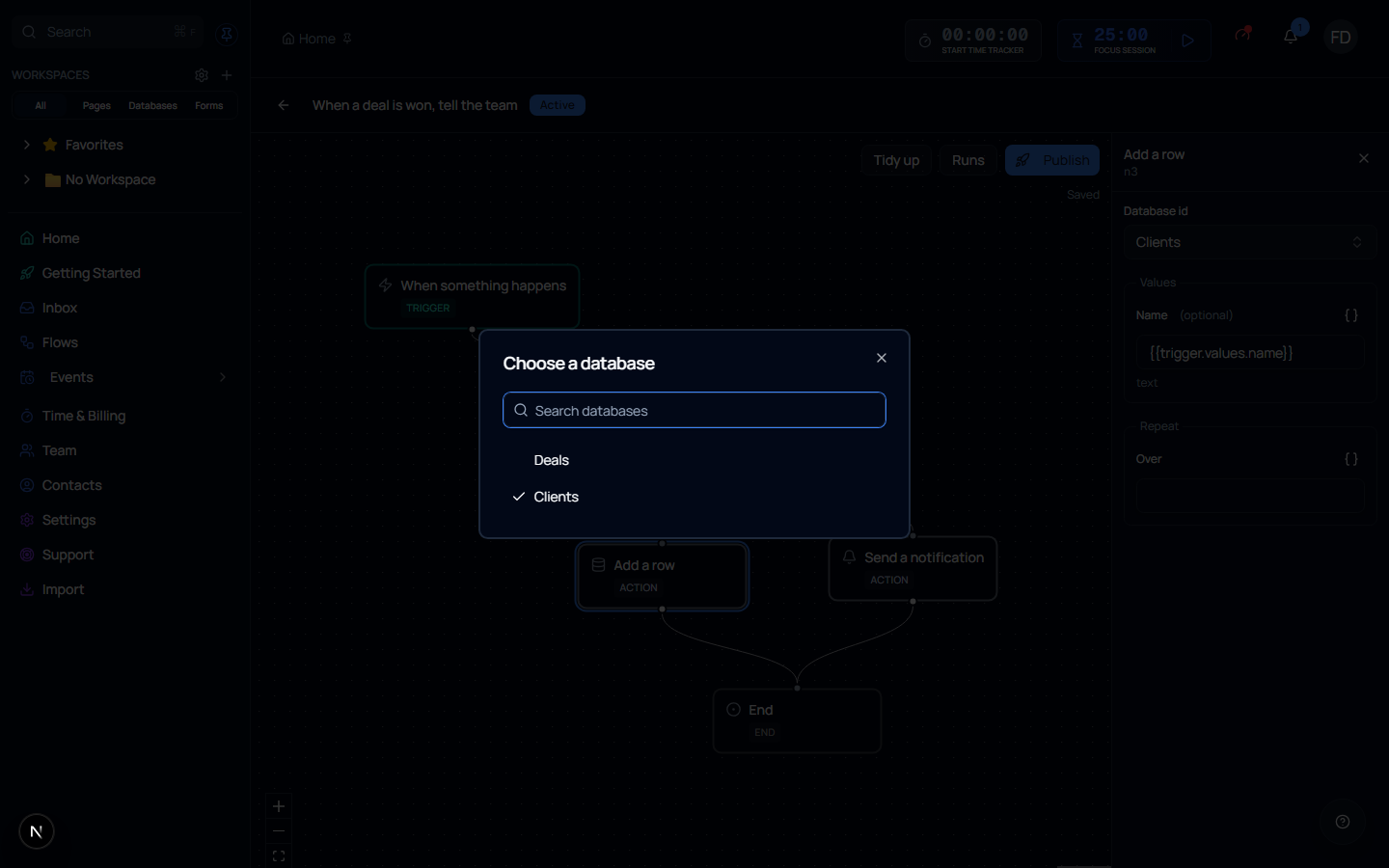
If the list is empty, it says so and links to where you make one — no databases yet, no saved connections yet, and so on.
A step can point at something that has gone
If the thing a step referred to has since been deleted, the field says so rather than going blank. A step that quietly looked unconfigured would be much harder to find than one that tells you what is missing.
Filling in values
A step that writes into a database asks for that database's columns, one field per column. You are not asked to write JSON, and you do not need to know what a column is called underneath.
Columns the database works out for itself — an ID that counts up, a formula, a created date — are not offered, because setting them would have no effect.
Using values from earlier in the flow
Any text field can carry a value from earlier in the flow instead of something you type. Use the { } button beside the field to insert one.
| Looks like | Means |
|---|---|
{{trigger.values.name}} | The Name of the row that started the flow |
{{trigger.email}} | The address a form submission came from |
{{steps.n3.rowId}} | Something an earlier step produced |
{{item.name}} | The current item, inside a step that repeats |
Type the literal text you want, or drop a placeholder in the middle of a sentence — Hello {{trigger.values.name}}, your invoice is ready works exactly as it reads.
Optional fields that already have an answer
Some fields are optional because there is a sensible default, not because they do nothing. Who to notify left empty notifies whoever owns the flow. Where that is true, the field says so underneath rather than leaving you to guess what blank means.
Repeating a step over a list
Steps that can run once per item in a list have a Repeat section. Point it at a list — usually something an earlier step produced — and the step runs for each entry, with {{item.*}} referring to whichever one it is on.