
Tracking time and invoicing
Track billable hours, manage client jobs, and generate professional invoices — all without leaving Optivation.
1Time & Billing
Start here
The basics, in the order most people need them.
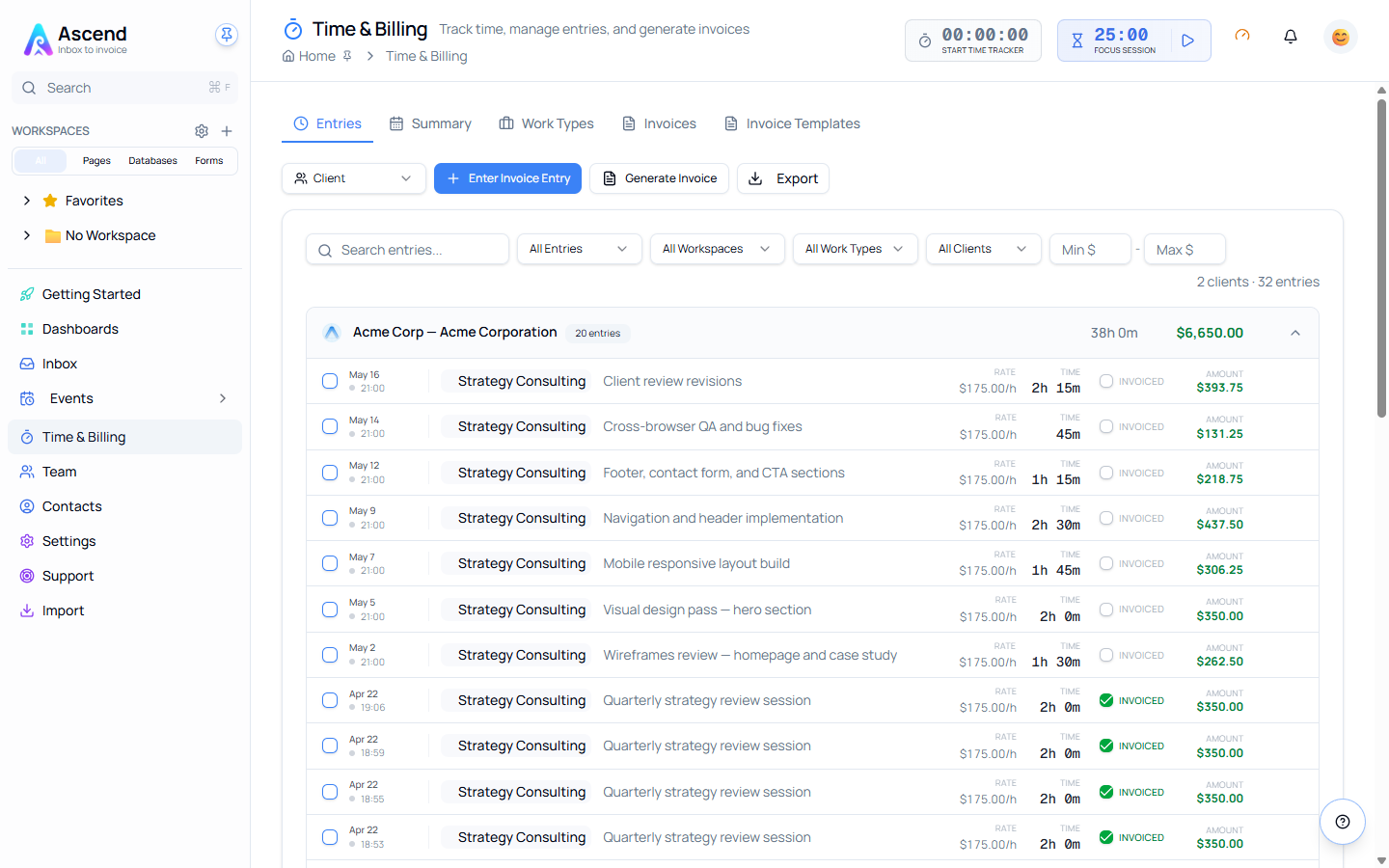
Managing JobsJobs represent the activities or projects you track time against — for example *Consulting*, *Development*, or…Using TimersThe Start Timer dialog guides you through a 3-step wizard:Focus TimerThe Focus Timer (often called a Tomato Timer) is a productivity tool built directly into Optivation.Time EntriesThe Entries tab shows all your time entries in a detailed list with the following information:InvoicingGenerate an invoice from your tracked time, publish it to your client's portal, and follow it through to paid.TemplatesInvoice templates are Word (.docx) files that define the layout and formatting of your invoices.
2Time & Billing
Getting paid
Connect Stripe, then let clients settle invoices from their portal.
Connecting StripeConnect the Stripe account your agency already trades under, so clients can pay their invoices by card and the money…Online Invoice PaymentsSwitching on online payments puts a **Pay** button next to sent invoices in your client's portal, so they can settle…Where the Money GoesClient payments settle straight into your own Stripe account.
3Time & Billing
When something looks wrong
Known causes and how to fix them.
Quick Start
Your first time entry
- Open Time Tracking from the main navigation
- Click the Play button to open the timer wizard:
- Step 1 — Select your Work Type (Job)
- Step 2 — Optionally link to a page or database record
- Step 3 — Add a description and tags, then click Start Timer
- Work on your task — the timer counts automatically
- Click Stop when done, review, and save
Your time entry is now tracked and ready for reporting or invoicing.
Key Concepts
| Concept | Description |
|---|---|
| Jobs | Named activities or projects (e.g. Consulting, Development) with hourly rates, billing rules, and optional client linkage |
| Time Entries | Individual records of time spent — start/end time, duration, description, and calculated earnings. Can also be a flat fee (quantity × unit price) for one-off charges not tied to tracked time |
| Invoices | Professional documents generated from selected time entries, with customizable Word templates and PDF/DOCX output |
| Focus Timer | A Pomodoro-style productivity timer that integrates with your time entries |
Common Workflows
| Workflow | Setup |
|---|---|
| Consultant | Create a job per client, set hourly rates, use 15-min rounding, generate invoices monthly |
| Freelancer | Create jobs by work type, use emojis for quick visual ID, track all time including non-billable, invoice per project |
| Agency | Create jobs per client and project, filter by workspace for team reporting, use branded invoice templates |
Related Features
- Workspaces — Filter time entries by workspace
- Contacts — Manage client information for invoicing
- Dashboard — Time tracking widgets and summary views