
Publishing, and seeing what ran
Publishing
Publish takes a copy of your draft and makes it the version that runs. Until you do, the flow does nothing, however finished it looks on the canvas.
Publishing checks the flow first. If something would stop it working, it refuses and says which step is at fault rather than publishing something that fails on its first run. Common reasons:
| It says | It means |
|---|---|
| A step is missing something it needs | A required field was left empty |
| A placeholder refers to nothing | A {{…}} value names a step or field that is not there |
| The trigger has no scope | The trigger needs to know which database or form to watch |
| A step is unreachable | Nothing connects to it, so it could never run |
A published flow keeps running the version you published. Editing the canvas afterwards changes the draft; the running version is untouched until you publish again.
Seeing what it did
Runs opens the history: every execution, most recent first, with what happened to each.
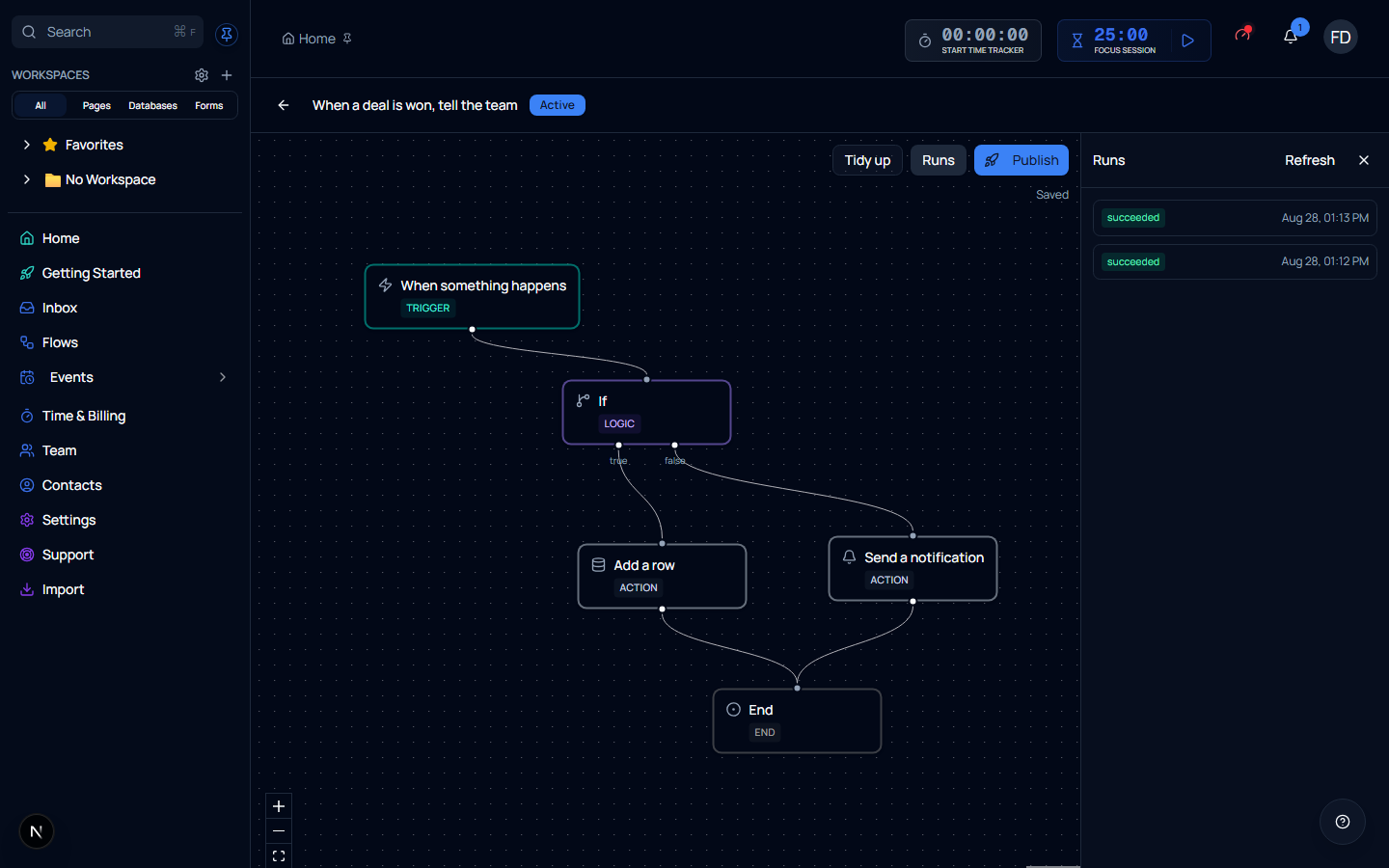
| Status | Meaning |
|---|---|
| succeeded | Every step finished |
| failed | A step failed and the run stopped there |
| running | Still going — usually a delay or a step waiting on something |
Open a run to see it step by step: what each one received, what it produced, and for a failure, what went wrong. That is the screen to go to when a flow did not do what you expected — the answer is nearly always visible in the step that stopped.
A run that succeeded can still have a message that did not arrive
Sending is handed to a queue and retried, so a run finishes succeeded once it has queued the work. A run whose queued work later failed says so, so check the run itself rather than assuming a green tick means the email landed.
Stopping a flow
Archive it from the list. It stops starting anything new and leaves the list.
Runs already under way finish as designed — including one part-way through a delay. Archiving is not an emergency stop; it stops the next run, not the current one.
Archived flows are still there under Show archived, and restoring one brings it back as a draft. It never comes back running by itself — turning it back on is always a decision you make.