
Notifications
Aria keeps you informed about important events across your workspace with intelligent, prioritized notifications.
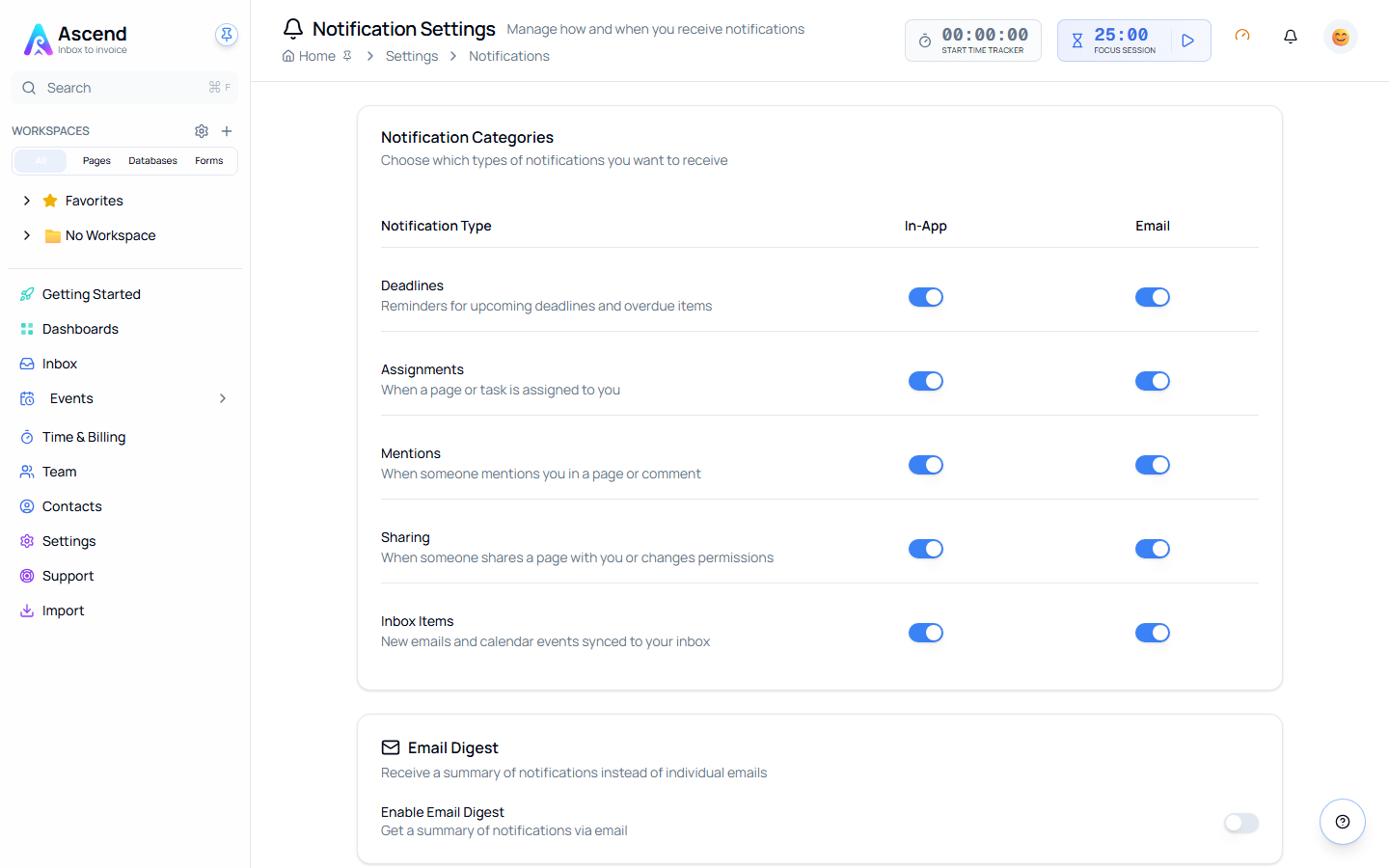
Notification Types
📅 Deadlines
- Approaching deadlines: Reminders at 7 days, 24 hours, and 1 hour before
- Overdue items: Escalated notifications for missed deadlines
- Smart timing based on your work patterns
👤 Assignments
- When you're assigned to pages or tasks
- Team member assignment changes
- Reassignments and delegation
💬 Mentions
- When someone @mentions you in content
- Comment replies to your comments
- Discussion notifications
📧 Inbox
- New emails requiring attention
- Calendar event reminders (15 min, 5 min before)
- Snoozed items returning to inbox
⏱️ Time Tracking
- Long running timer warnings (over 8 hours)
- End-of-day reminders to log time
- Weekly goal progress
Managing Notifications
Quick Actions
Each notification includes quick actions:
- Mark as Done: Complete the associated task
- Snooze: Remind later (1 hour, tomorrow, next week)
- Dismiss: Remove without action
Filtering by Category
In the Notification Center, use tabs to filter notifications:
- All: View all notifications
- Deadlines: Only deadline-related notifications (approaching & overdue)
- Mentions: Only @mentions and comment replies
- Inbox: Only email and calendar notifications
- Sharing: Only page sharing notifications
Each tab shows a count badge indicating how many notifications are in that category.
Bulk Actions
Select multiple notifications with checkboxes to:
- Mark as Read: Mark selected notifications as read
- Dismiss: Remove selected notifications
- Select All: Check all visible notifications in current filter
Notification Bell
The bell icon in the header shows:
- Unread count badge
- Recent notifications dropdown (click to see)
- Quick access to mark all as read
Notification Settings
Access the dedicated notification settings page via:
- Settings → Notifications link in the main settings
- Settings cog in the Notification Center
- Bell icon dropdown settings
Notification Preferences
Control notifications per type with separate toggles for In-App and Email:
| Notification Type | Description | In-App | |
|---|---|---|---|
| Mentions | When someone mentions you in a page or comment | ✓ | ✓ |
| Comments | Comments on pages you follow or are assigned to | ✓ | - |
| Assignments | When a page or task is assigned to you | ✓ | ✓ |
| Deadlines | Reminders for upcoming deadlines and overdue items | ✓ | ✓ |
| Sharing | Page sharing or permission changes | ✓ | - |
| Inbox Items | New emails and calendar events | ✓ | - |
| Time Tracking | Running timer reminders and time tracking goals | ✓ | - |
Email Digest
Daily Digest: Receive a morning summary of notifications
- Enable/disable toggle
- Choose delivery time (6:00 AM - 10:00 AM)
- Consolidates all notifications from previous day
Weekly Activity Report: Get a weekly summary every Monday
- Enable/disable toggle
- Overview of team updates and your activity
Quiet Hours (Coming Soon)
Set times when notifications are silenced:
- Configure start and end times
- Timezone-aware
- Critical notifications still come through
Priority Scoring
Aria intelligently ranks notifications using:
- Urgency (40%): How soon action is needed
- Importance (30%): VIP senders, multiple mentions
- Recency (20%): Newer items surface first
- Actionability (10%): Clear next steps available
This ensures the most important notifications always appear at the top.