
Optivation Public API (v1)
The Optivation Public API lets you programmatically read and write workspace content, query databases, and manage pages from any tool or language.
Getting Started
Before you begin
You'll need an API Token to authenticate. Tokens are tied to your user account and inherit your team permissions.
To generate a token:
- Log in to Optivation and click your avatar → Settings
- Open the API Keys tile
- Click Generate New Token, give it a name (e.g.
Zapier Integration) - Copy the key immediately — it won't be shown again
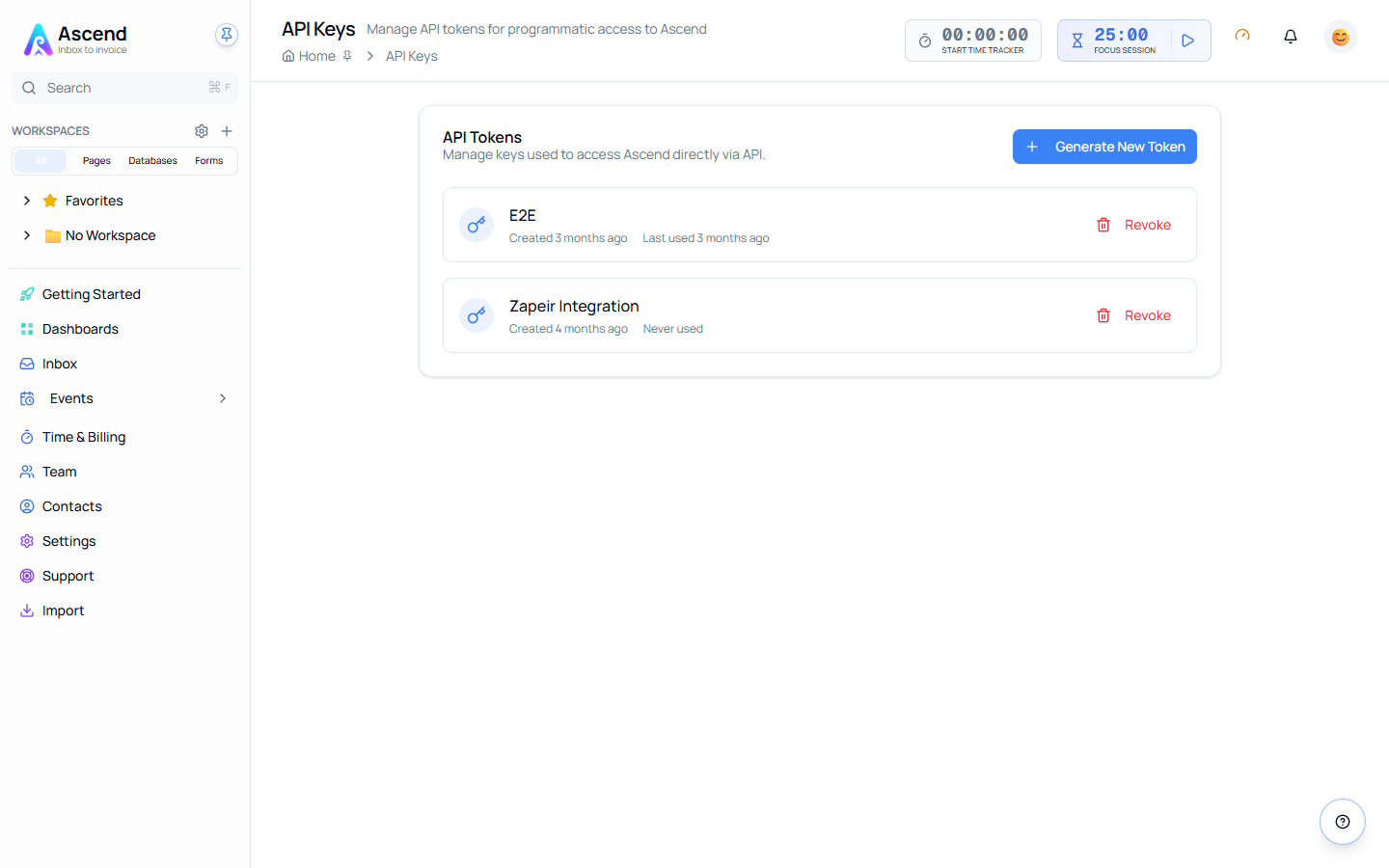
Existing tokens are listed with when they were created and when they were last used. Revoke kills a token immediately; anything using it starts getting 401 on the next request.
Authentication
All requests must use HTTPS. Pass your token as a Bearer header:
Authorization: Bearer <your_api_token>| Scenario | Response |
|---|---|
| Valid token | Request proceeds normally |
| Missing token | 401 Unauthorized |
| Invalid / expired token | 401 Unauthorized |
Standard Response Format
All endpoints return a consistent JSON envelope.
{
  "status": "success",
  "data": { }
}{
"status": "error",
"error": {
"message": "Human-readable description",
"code": 404
}
}Endpoints
Teams
Your token gives you access to every team you belong to.
| Method | Path | Description |
|---|---|---|
GET | /api/v1/teams | List all your teams |
GET | /api/v1/teams/{teamId} | Get a specific team's details |
Workspaces
Workspaces exist within teams and scope all content access.
| Method | Path | Description |
|---|---|---|
GET | /api/v1/workspaces | List workspaces accessible to you |
GET | /api/v1/workspaces/{workspaceId} | Get a specific workspace |
GET | /api/v1/workspaces/{workspaceId}/contents | List all pages and databases in a workspace |
Pages
| Method | Path | Description |
|---|---|---|
GET | /api/v1/pages | List pages. Accepts search and limit query params |
POST | /api/v1/pages | Create a page. Pass templateId to pre-populate content |
GET | /api/v1/pages/{pageId} | Export a page's content, block data, and history |
PATCH | /api/v1/pages/{pageId} | Update page metadata (tags, layout flags) |
DELETE | /api/v1/pages/{pageId} | Permanently delete a page |
Databases
| Method | Path | Description |
|---|---|---|
GET | /api/v1/databases | List all databases accessible to you |
POST | /api/v1/databases | Create a database with an initial properties schema |
GET | /api/v1/databases/{databaseId} | Get database metadata (icon, description, settings) |
GET | /api/v1/databases/{databaseId}/properties | Get the database schema only |
Database Rows
| Method | Path | Description |
|---|---|---|
GET | /api/v1/databases/{databaseId}/rows | Fetch rows. Supports limit and offset pagination |
POST | /api/v1/databases/{databaseId}/rows | Create a new row |
GET | /api/v1/databases/{databaseId}/rows/{rowId} | Fetch a specific row's values |
PATCH | /api/v1/databases/{databaseId}/rows/{rowId} | Partially update row fields (merge logic) |
DELETE | /api/v1/databases/{databaseId}/rows/{rowId} | Delete a row |
Integration Notes
Schema first
Always fetch /properties before writing rows. Optivation validates row data at runtime against each database's schema — sending unrecognised field names will result in a validation error.
Pagination
Row listing endpoints use cursor-free limit + offset pagination. The default limit is 50, maximum is 500.